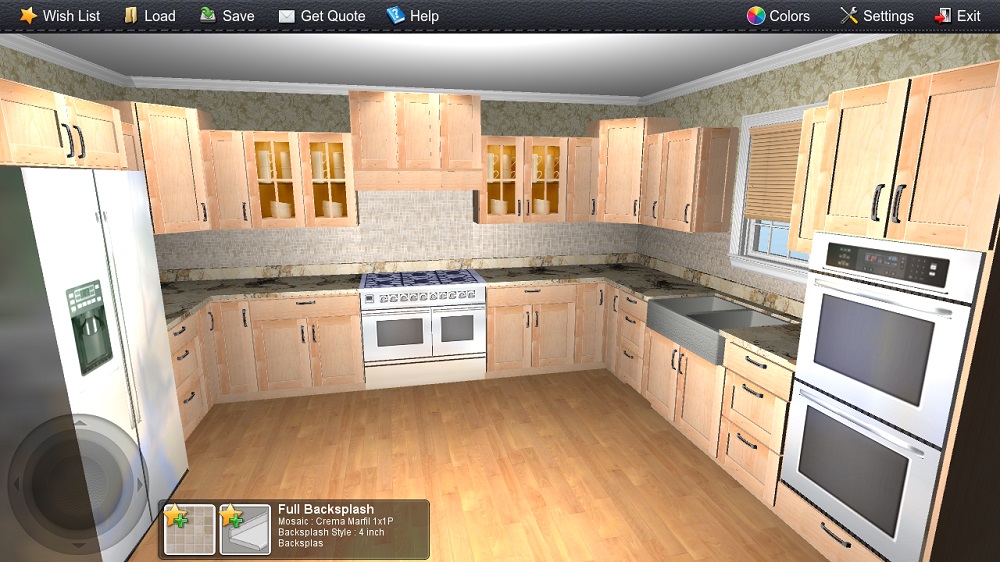
3DShowroom Touch - Kitchen Designer
Deliver something new to your long time ago set up way of sales managing and product presentation. Make your stone business stand out among lots of others'. 3D Showroom Touch is a new creative approach to visualization of the stone industry products. It is a software for stone business that changes the whole process of sales person-client interaction. Combining creativity and up-to-date 3D technologies it will immediately draw your customers' attention.
The goal of this tutorial is to show the work of one of the Applet3D company's products, 3D Showroom Touch, show what it is capable for, tell how it can be helpful, describe its interface, and of course deliver a visible final result which can be achieved using this program for people who read this could make their own opinion concerning our product.
Getting Started
So, lets imagine for example that a customer visited your showroom having a strong desire to select a stone countertop and having no idea what material to choose and how its color will combine with his kitchen interior. A typical situation for a sales person, but now having at his disposal such a program this may take only a couple of minutes to get the client interested and make him stay in your shop for a longer time.
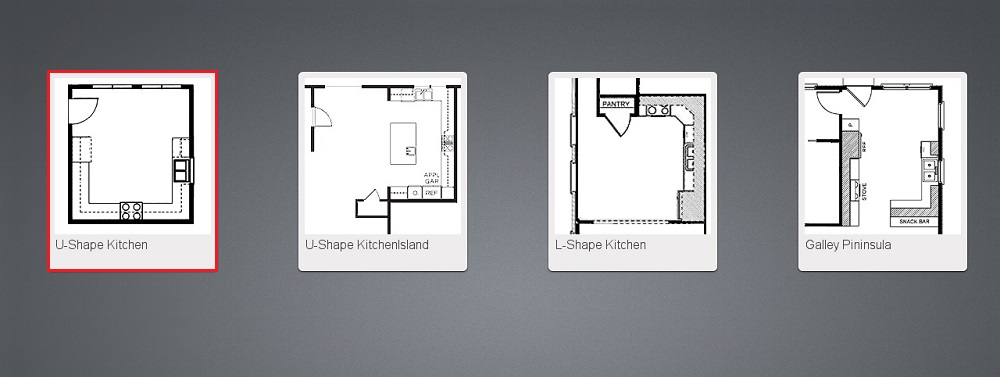
The work starts with the choice of the kitchen's type. There are four main types presented. A client is asked about what king of kitchen he's got at home and is helped to choose the right thumbnail.
After it is done the main screen of the program opens and it is possible now to start the process of desingning a kitchen. 3DShowroom touch allows to change every single thing in your kitchen design project. It consists of 3 main areas: menu, which is at the top, the selective screen at the bottom of the page and the color browser one to the right.
Menu is in charge of the whole project. Another 2 windows are dynamic and changeable, they reflect the customer's activity. In a more detailed way the technical and operating side of the program is described in the Help section. The kitchen that appears has already some chosen default properties. From now on its up to you what to change.
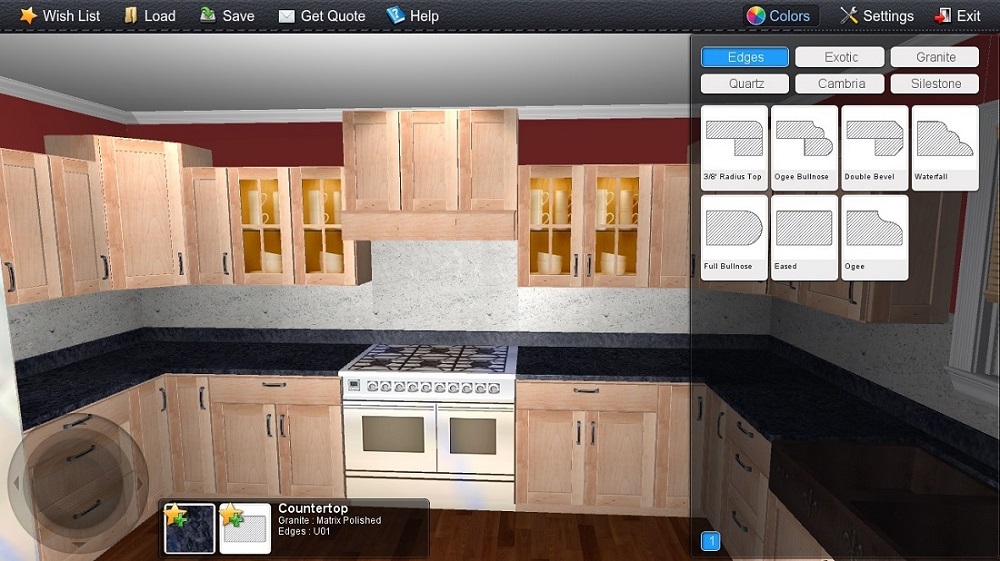
The first thing that should be remembered is a simple sequence of 2 actions: at first you touch the area on the screen, then you are able to change it in the color browser to the right. This browser contains mainly colors, but is used to change a lot of other surfaces according to what is being touched on the screen. This area must be a separately taken kitchen component. It's impossible for examble to change a color of only half of the kitchen cabinet at the same time leaving the other part unchanged.
Stone Selection
In this tutorial we will get straight to the core of the program that represents its value for the stone business – the most significant changeable things. In 3DShowroom Touch these are: countertops, backsplashes, edges. The sales person explains though, that it's better to start with the selection of color and floor in your kitchen and at first select the things you will change only once, for example to make the kitchen look similar to that you have at home. These are minor changeable things: floor, cabinet door styles, wallpapers, windows, applience, doors. How to manage these things will be said a bit later.
So, the client that arrived decided trying various materials of which countertops are made, so a sales person touches a countertop on the screen. After that they will be able to see the field of countertop change. Each of the main changeable objects has a couple of parameters which define how the object will look like. In the picture below it can be seen that for countertops it is first of all the material it is made of: exotic, granite, quartz,cambria, silestone. Each type has a corresponding button. Touching any of them will open a color browser. Touching the various thumbnails will change the material.
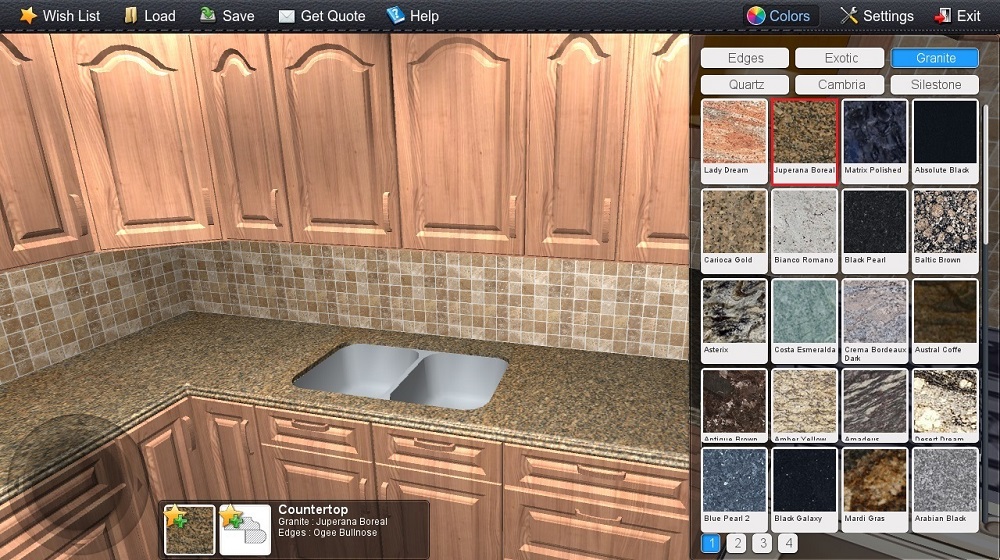
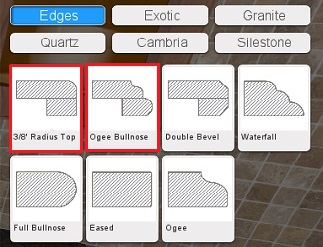
Secondly, the field of countertop change icludes edge browser as an edge being significant part of every countertop. The mentioned browser opens automatically in the main screen as you start the program. It can be seen in the picture below. A great variety of edges can be dragged into the program through synchronization. Here are a few examples of how the change will look like:
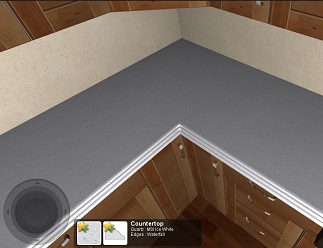
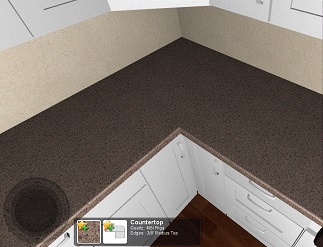
Now it comes the turn of the last main changeable component, it is a backsplash. Here a sales person will be able to show the client the three types of these units to his choice: full backsplash, double backsplash, 4 inch backsplash. If the client doesn't like these types or refuses to have a backsplash for his kitchen at all, the fourth thumbnail named “Without backsplash” can be chosen to remove it.
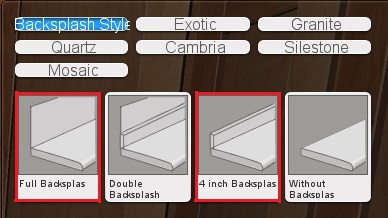
In the picture below a 4inch Backsplash is to the left and a full backsplash is to the right.

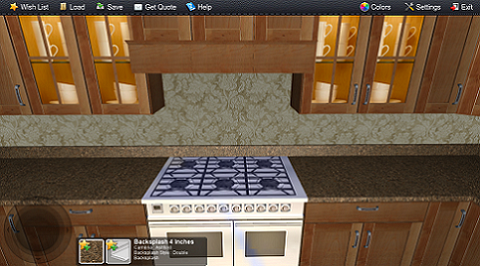
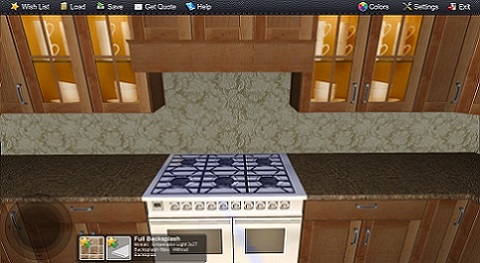
After the type is chosen a client is offered to choose the material it is made of, it is possible to make even a small 4inch backsplash look different or even stand out.If after selecting full, double or 4inch backsplash a "Without Backsplash" thumbnail is touched, the area where these backsplases were is automatically replaced by the wallpapers chosen. How to change everything else what is in your kitchen will be told a bit later.
Synchronization
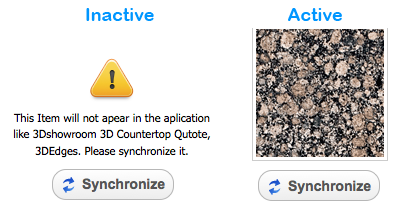
3DShowroom Touch has some functions which are useful to know for stone fabricators and distributors. The program has a default stone product inventory which allows to start work immediately. But it is possible to make it work exclusively with the stuff you have at your disposal, at warehouse, showroom, etc. To do that your 3DShowroom Touch must be synchronized with your "Inventory" in our ERP/CRM system called Easystoneshop. There you will be able to add whatever products you wish.
Having done that, each time the program starts it will synchronize with the products you have there. The process of syncronization is described in details in the "Help" sections of "Inventory" and "My Apps" modules. If by chance the products do not appear in the program, you'll have to go back to Easystoneshop and check wheter their status is active or not.
Interior Customization
Here is how it works when a sales person touches other kitchen elements: In a color browser that appeared to the right, a customer by one touch selects the colour of hardwood he wishes and immediately can see the result. As usual, we marked the thumbnail a customer chose and what has changed can be also seen in the lower thumbnail.
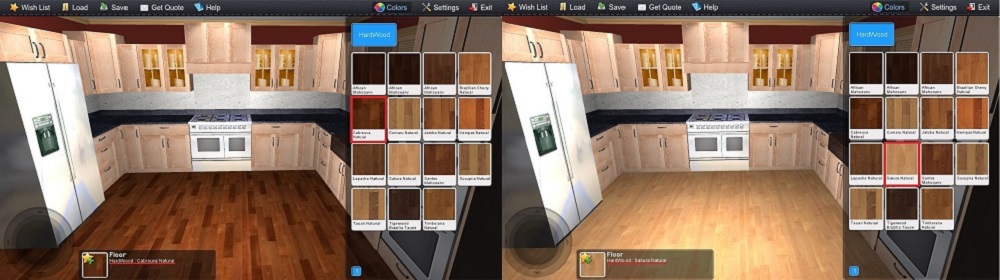
It's up to the client what to do next, to continue customization or get back to the significant changeable things. If he chooses the first variant, here is what he will see after he has touched any cabinet surface.
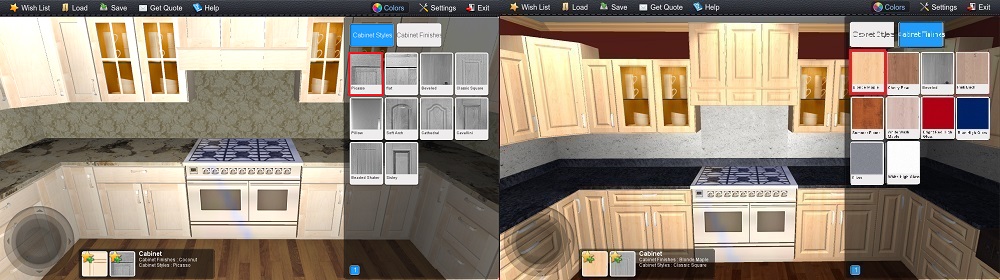
As it was before, to the right appears a color browser. This time the salesman will say that here it is possible to change two parameters: cabinet styles and cabinet finishes. All the client has to do is to choose and touch the corresponding thumbnail and now he has not only a different floor but a different cabinet door style as well.
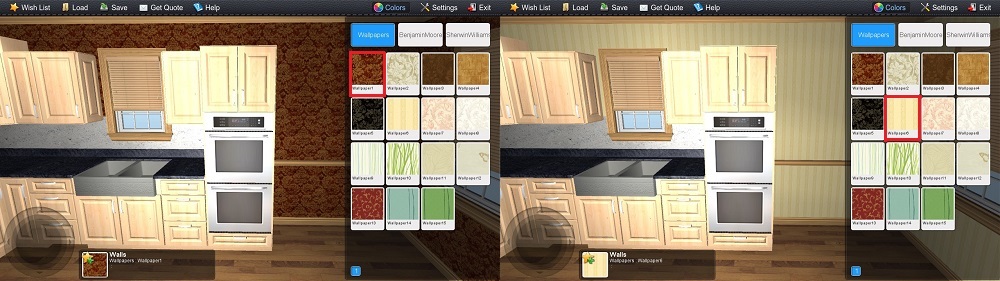
One of the ways of your kitchen design customization is the selection of similar to those you have at home wallpapers. In case there is no similar colours of floor or cabinet door style in the program, this problem may be sold by making changes in this section. Two more types of paint each containing great variety of shades are available here: Benjamin Moore and Sherwin Williams.
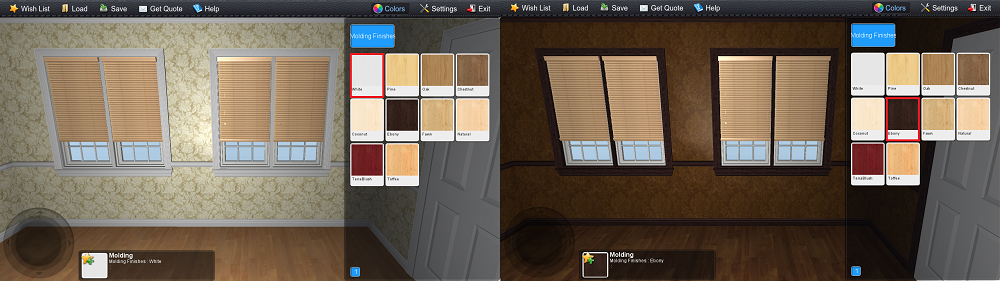
Another changeable thing of the kitchen interior is a trim. On the screen the customer will notice it at once, it can be seen in combination with windows, celling, walls and floor. Having touched it, a customer can choose what color will be to applied to his design project. After the choice is done it is applied to all the trim that is present in your kitchen room.
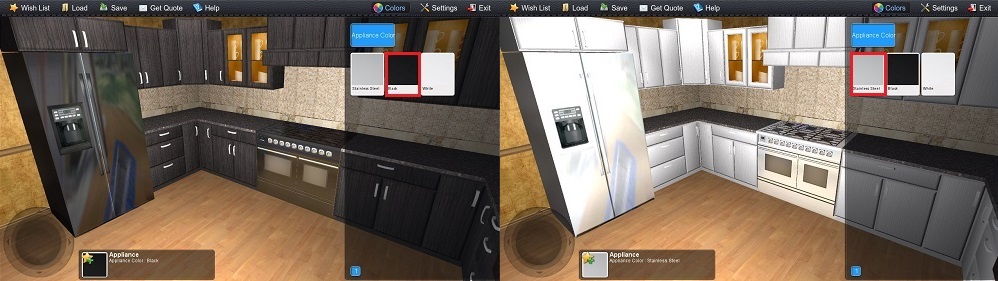
Finally, the last minor changeable things are appliances. There is no doubt that every kitchen,its counter and backsplash are often chosen paying attention to the color of the built-in household appliances. In 3DShowroom Touch this is a fridge, a gas stove and microwave ovens.There are three standard colors for them: stainless steel, black and white.
The Final Result
Showing everything step by step, taking some time for brief explanation the sales person must pay attention to small details the program allows to change or customize. Then, the client will surely receive a desired kitchen design with which he will be totally satisfied.