
Products Details
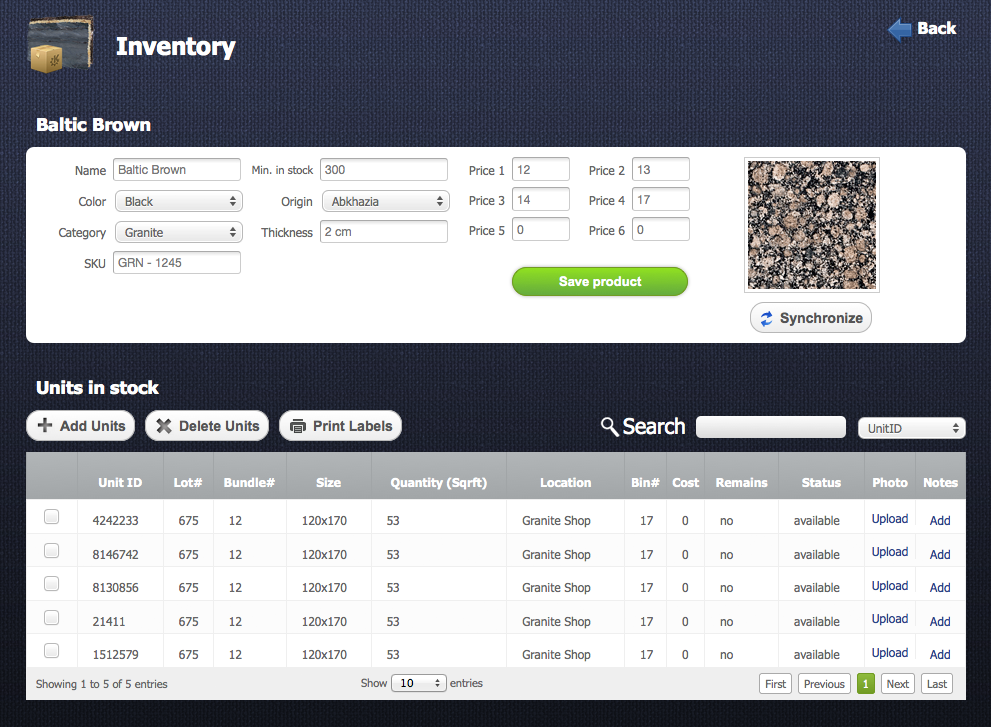
To see product details you need to click on some product in the product table. This page consists of several sections: "Product information" section and “Units in Stock” section. See image below.
Product Information
Return to topIn this section you can edit some basic information about current product:
- Name – Name of the product
- Category – name of the category where the product will be located
- Origin – name of the country where the product is from
- Min in Stock – this is a minimal quantity of the product in stock. If the quantity of product in stock is less than Min in Stock value then the product will be highlighted with a red color.
- Color – it’s a basic color of the stone
- SKU - stock-keeping unit is a unique number of unit and it generates automatically.
- Price groups – consist of 6 different prices. Each client has his own price group and according to this group some price will be assigned (e.g. Price1 or Price4)
- Synchronize - This button connects current product to some application like 3DShowrrom, Product Gallery, Quotes and others. If the product is not synchronized then it will not work correctly with these programs.
Synchronization
Return to topLots of web, iPad and desktop applications are connected to your account and products from your inventory will appear in these apps only when synchronization for your products is active (see image on the right).
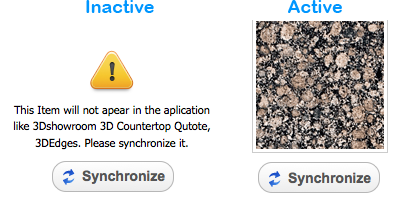
If your product has a warning massage then it means that synchronization for this product is inactive (see image on the left). To synchronize your product you have to click on "Synchronize" button  and then select a product from the products list, which will appear. Also you can re-synchronize some synchronized product.
Units in stock
Return to topEach product consists of product units, for example Baltic Brown consist of slab units or mosaic. Crema Marfil 1”x1” consists of sheet units.
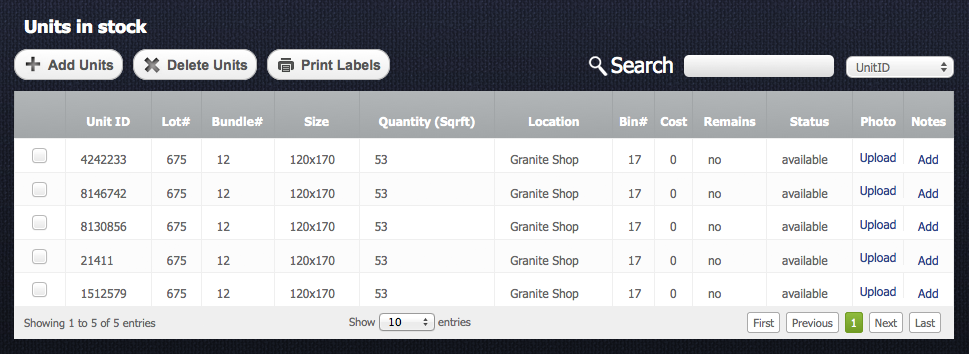
With this section you can track units of some product. Detailed information you can read in the next paragraph "Units in Stock".


