
Taxes
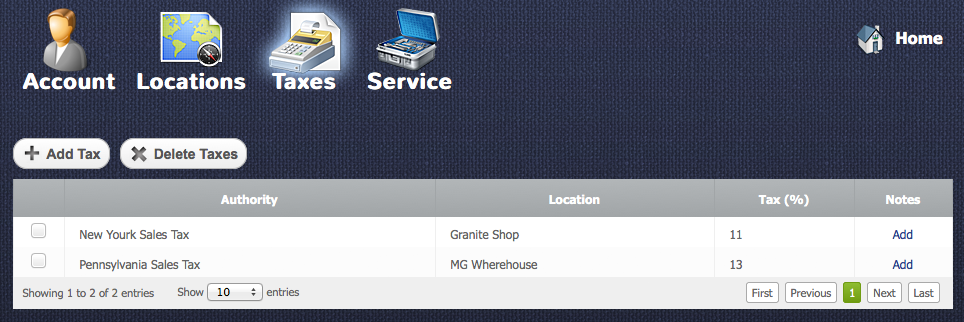
Here you can setup a tax rate for products and services for different location. Also you can setup several rates for one location. These rates will be used for quote generation.
Adding Tax
Return to topTo add tax you need to press “Add Tax” button  after that “New Tax” window will appear.
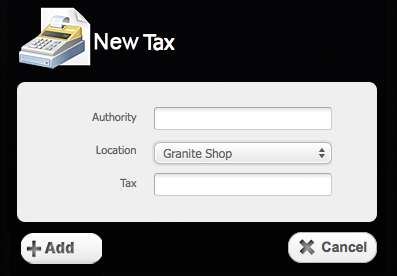
There you will need to type an authority description in the “Authority” field, select location in the location field (the locations can be created in the Settings > Location section). The tax rate should be written in the “Tax field”. After you fill in the fields you need to click on “Add” button  or “Cancel” button
  to cancel everything.
Editing Tax
Return to topTo edit a tax you have to click on it in the tax table. After that you will see a “Tax Details” window.
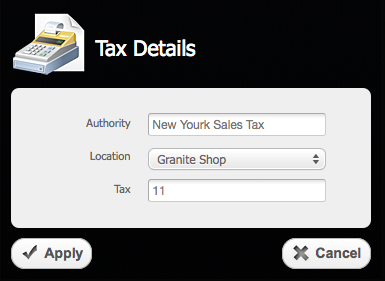
Here you can update the information regarding a tax. To save the updated data you need to click an “Apply” button  or “Cancel” button to cancel everything.
Deleting Tax
Return to topTo delete a tax you should select a checkbox  opposite the tax and then click on “Delete Tax” button
 . Please be careful, because after that you will not be able to renew the deleted tax.


