
Account
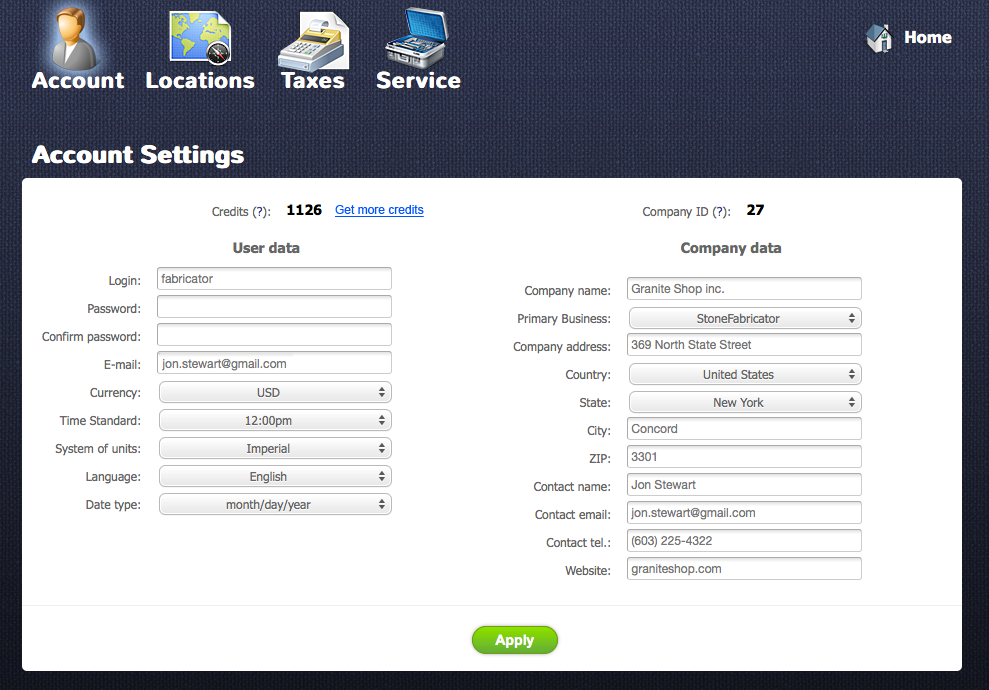
After you click on the “Settings” link you will see the “Account Settings” section. There you will see a Company ID number. You should add this number to email when you ask for support. Having this number our support center can easily identify your company.
Getting more Credits
Return to topCredit is needed to use programs from My Apps. You can start getting credits from Account Setting as well as from My Apps. In order to get credits click on “Get more credits” link.
Changing Login and Password
Return to topIt’s very easy to change a login name. All you have to do is to write a new name in the “Login” field and click on “Apply” button

To change a password write a new one in the “Password” field, confirm it in the “Confirm password” field and click on Apply button

User Settings
Return to topPeople from different countries are using different time formats, units of measurement, languages and data formats. Here you can fit a user interface according to your needs.
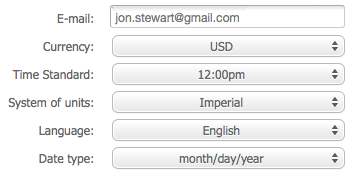
- E-mail – can’t be changed
- Currency – here you can setup your main currency
- Time standard - select one of two available standard 12:00pm and 24:00
- System of units – it will be used to measure your inventory and services
- Language – it setups language of the interface
- Date type – date format of some countries are different. Here you can setup your own.
Company Data
Return to topIn this section you should write contact data of your company. We strongly recommend you fill in the fields because this information will be used to identify your company if you contact our support center. Also we will use the company data to send gifts!
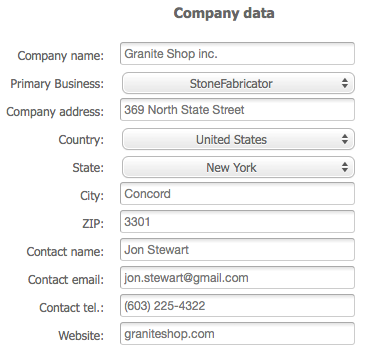
- Primary Business – you need to indicate a primary business of your company here.
- Contact name – contact name of a person in you company who is responsible for EasyStoneShop system.
- Contact email, tel - contact email and telephone number of the responsible person.
- Website – name of the website where applications from My Apps will be installed. If you don’t setup it the application won’t work.


