
Locations
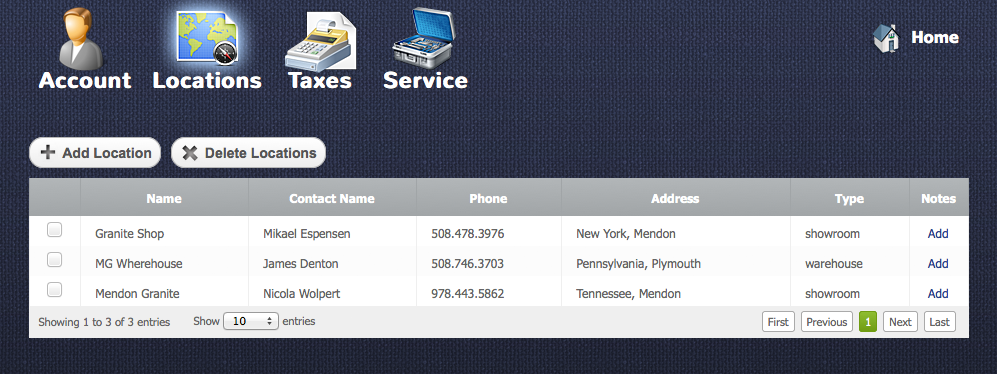
If your company has several showrooms or warehouses then this is the place where you can add them. The locations will be used in inventory, quotes, clients and other modules.
Adding locations
Return to topYou can add as much locations as you need. In order to add new location you have to press “Add location” button  after that you will see a “New Location” window.
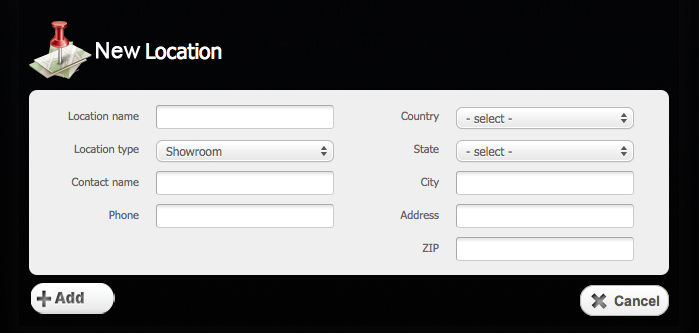
There you should type a location address and name with a phone number of the contact person who is responsible for business in this location. After you fill the fields you need to click on “Add” button  to add the location or “Cancel” button
  to cancel everything.
Editing Location
Return to topTo edit a location you have to click on it in the locations table. After that you will see a “Location Details” window.
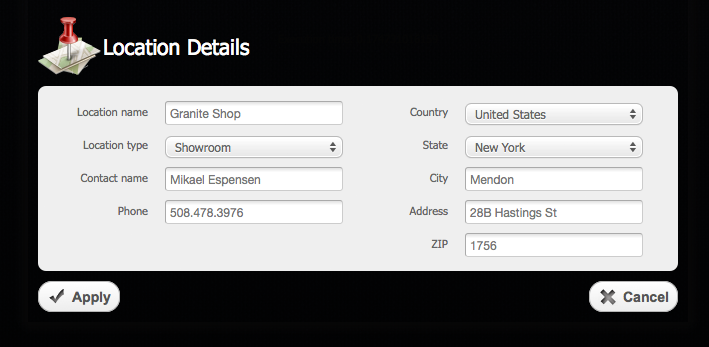
Here you can update the information regarding the location. To save the updated data you need to click an “Apply” button  or “Cancel” button to cancel everything.
Deleting Location
Return to topTo delete some location you should select a checkbox  opposite the location and then click on “Delete Location” button
 . Please be careful, because after that you will not be able to renew the deleted location.


