
Quotes
With the Quotes module you can edit and control list of your quotes. Add new and delete the unnecessary ones.
Adding Quotes
Return to top
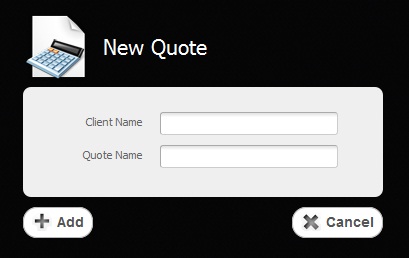
To add new quote you have to click on “Add Quote” button.
Before you are able to manage your new quote you'll have to create a client's account, to fill in the empty fields as it is shown in the picture below.
Working with Table
Return to topAs soon as you add a new quote it will appear in the table of quotes. To sort data according to each column of the table, you just have to click on some column's name. If you click on the same column once again the sort direction will be changed.
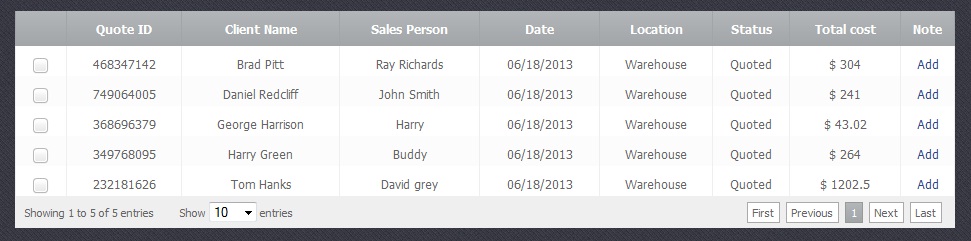
The table is divided into several columns:
- Quote ID – A unique number given to a single quote in order to differentiate them
- Client Name - Name of the client
- Sales Person – Name of the person who sales products and services
- Date - A precise date the quote was created.
- Location - The place where the products or services are located.
- Status – This is status of the quote:Quoted, Negotiating, Accepted or Denied, etc.
- Total Cost - A final price of the products or services with discounts and taxes included if chosen.
- Note - A field where you can add some additional information of your choice.
Deleting Quotes
Return to top
To delete an existing quote you have to select a chechbox  and click on "Delete Quote" button. Please be careful, because after that you will not be able to renew the deleted quote.


