
Profile
This is the main screen of the "Suppliers" section with the "Profile" menu opening automatically as the first one. Here you can finish adding your suppliers or edit the information concerning the already existing ones.
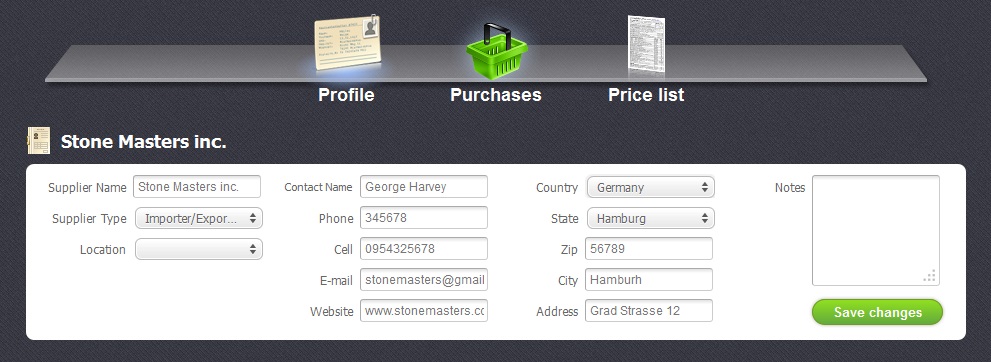
In this section you may add or edit the following data:
- Supplier Name -Name of the supplier
- Supplier Type - The selected type of the supplier
- Location - Location of the shop for wich the selected supplier was appointed
- Contact Name - Name of the contact person
- Phone - Number of the supplier's telephone
- Cell - Mumber of the supplier's mobile phone
- Email - Supplier's email
- Website - Supplier's website
- Country - Country where the supplier is from
- State - State where the supplier is from
- Zip - A special post code
- City - The city where the supplier is from
- Address - Supplier's address
- Notes - A field where you can add some additional information of your choice.
After you have filled in all the necessary fields do not forget to click on "Save Changes" button to save all the changes.


